
Download Popups Nuker – Pop-up Blocker, Ad-Free Browsing, Utility Tool
Overview
Popups Nuker is a utility application designed to enhance the browsing experience by eliminating unwanted pop-up advertisements across multiple web browsers. Its primary purpose is to block intrusive pop-ups and other digital interruptions that disrupt online activities, making web navigation faster, cleaner, and more efficient. The app targets users who value uninterrupted access to websites, particularly those who frequently encounter disruptive ads while using Internet Explorer, Netscape, Opera, or AOL browsers. While the developer did not provide additional background information, the app’s long-standing presence in the digital space—released on April 21, 2005—suggests a legacy of reliability for users seeking basic ad-blocking functionality.
Popups Nuker addresses common pain points such as slow page loading due to ad-heavy content, accidental clicks on misleading pop-ups, and excessive bandwidth consumption. In real-world use, it supports users who rely on older or less advanced browsers that lack built-in pop-up blockers. It also benefits individuals in low-bandwidth environments where conserving data is crucial. Despite its age, the tool remains relevant in niche contexts where lightweight, browser-specific ad blocking is needed. Its role in the broader app ecosystem lies in providing a simple, no-frills solution for users who prefer minimalistic tools over complex, feature-laden alternatives.
Key Features & Functionality
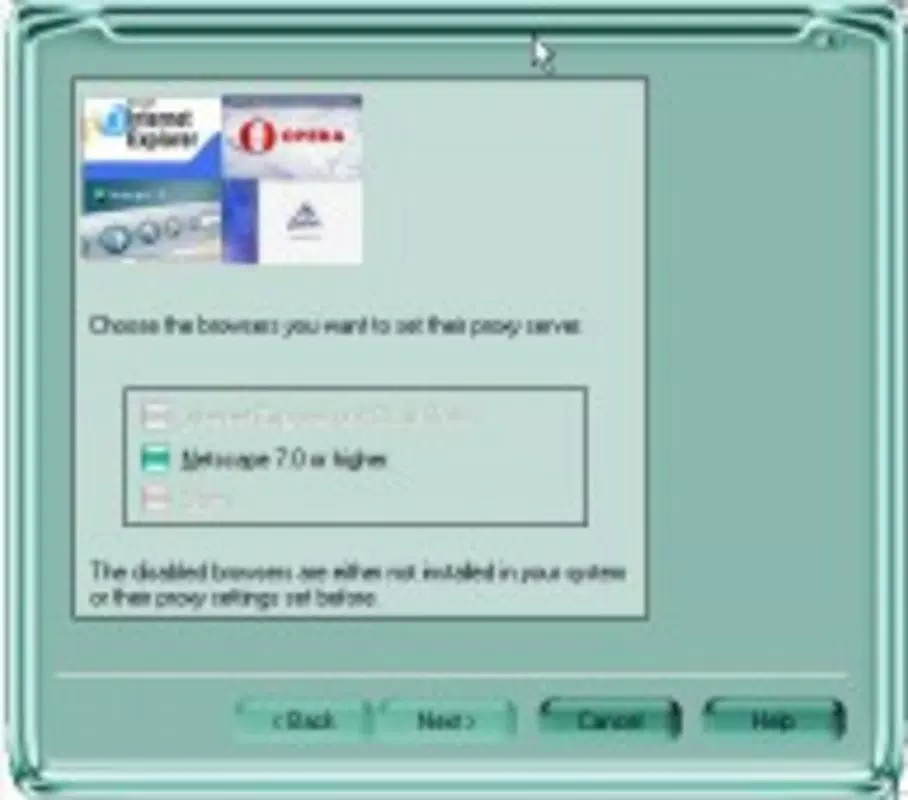
- Multi-browser Support: Popups Nuker operates across several legacy web browsers, including Internet Explorer, Netscape, Opera, and AOL, ensuring compatibility for users who have not transitioned to modern platforms. This allows users to maintain a consistent ad-free experience regardless of their preferred browser.
- Sound Notifications: The app uses one of 29 customizable sounds to signal when a pop-up has been blocked. This feature provides immediate feedback, helping users confirm that the tool is active and functioning without requiring visual monitoring.
- Ad Blocking Tracking: Popups Nuker maintains a log that records the number of blocked ads and the exact timestamps of each block. This allows users to monitor the tool’s performance over time and gain insight into the volume of interruptions they are avoiding.
- Automatic Startup: Users can configure the application to launch automatically during Windows startup or when a supported browser is opened. This ensures continuous protection without requiring manual intervention each session.
- Bandwidth Conservation: By blocking ads and pop-ups before they load, the app reduces data usage, contributing to faster page rendering and improved browsing speed—especially beneficial on slower or metered internet connections.
For example, a user browsing news websites on an older system with limited bandwidth can benefit from the app’s ability to prevent large ad files from downloading. Similarly, someone using AOL in a legacy environment may find the automatic startup feature essential for consistent protection without repeated configuration.
Interface, UX & Performance
Popups Nuker features a minimalistic interface focused on core functionality, reflecting its utility-driven design. The layout is straightforward, with essential controls and status indicators displayed clearly. Navigation is simple, relying on basic menu options and configuration panels that allow users to adjust settings such as sound alerts and startup behavior. The visual style is unobtrusive, prioritizing function over aesthetics, which aligns with its purpose as a background utility.
Although the developer did not list formal performance metrics, the app’s lightweight nature suggests it operates efficiently on older hardware and systems with limited resources. It does not appear to consume significant system memory or processing power during operation. Responsiveness is consistent with its design philosophy—quick to detect and block pop-ups with minimal delay. Stability is implied through its long-term availability, though no specific crash reports or error logs were provided. The application appears to maintain a steady presence in the background without interfering with browser performance or system operations.
Platform Compatibility & Technical Requirements
Popups Nuker is designed for desktop environments and is compatible with Windows operating systems. The app supports Internet Explorer, Netscape, Opera, and AOL web browsers. The file size is not specified in the provided data, but given its utility nature and lack of advanced features, it is likely to be a lightweight application. The developer did not specify minimum OS requirements or version compatibility details beyond browser support. No information was provided regarding iOS or Android availability, indicating it is not a mobile application.
Users should note that the app was released in 2005, which suggests it may not be compatible with modern versions of Windows or newer browser architectures. Compatibility with current systems is not guaranteed, and users should exercise caution when installing legacy software on updated platforms. The lack of updated technical details limits clarity on modern deployment scenarios.
Pros and Cons
Pros
- Supports multiple legacy web browsers, offering broad compatibility.
- Provides real-time feedback through customizable sound notifications.
- Tracks and logs blocked ads with timestamps for performance monitoring.
- Can launch automatically at startup or browser launch for seamless protection.
- Helps conserve bandwidth and improves page loading speed.
Cons
- Released in 2005; may lack compatibility with modern operating systems.
- Not available for mobile platforms such as Android or iOS.
- Interface is minimalistic and may lack advanced customization options.
- No official updates or developer support since its release.
- File size and technical requirements were not disclosed.
FAQ
Is Popups Nuker safe to download and install?
Yes, the app is generally safe to use if downloaded from a trusted source. However, as a legacy tool released in 2005, it may not be compatible with modern security standards. Users should ensure their system is protected with up-to-date antivirus software before installation.
Can Popups Nuker be used on modern browsers like Chrome or Firefox?
Based on the provided information, Popups Nuker is only compatible with Internet Explorer, Netscape, Opera, and AOL browsers. It does not support modern browsers such as Chrome or Firefox.
Does Popups Nuker require a paid subscription?
No, the app is free to use. There is no indication of subscription fees or in-app purchases in the available data.
How do I update Popups Nuker?
As the app was released in 2005 and no updates have been documented, there is no official update mechanism. Users should be aware that the tool may not receive patches or security fixes.
Is Popups Nuker available for Android or iOS?
No, the developer did not list mobile platform availability. The app is designed for desktop use and is not available on Android or iOS devices.
Final Thoughts
Popups Nuker remains a niche utility with a clear, focused purpose: blocking pop-ups across legacy browsers. While its age raises compatibility concerns, it still offers tangible benefits for users working in constrained or outdated environments. Its ability to conserve bandwidth, provide real-time feedback, and operate automatically makes it a practical choice for those who value simplicity and reliability. However, modern users should consider that more advanced, regularly updated alternatives exist for current platforms.
For individuals relying on older systems or specific browsers, Popups Nuker delivers a straightforward solution to a persistent problem. If you’re seeking a lightweight, no-frills tool to eliminate pop-ups on legacy platforms, this app may still serve its purpose effectively.
Download Popups Nuker now


